Classic Western Icons Digital Paper
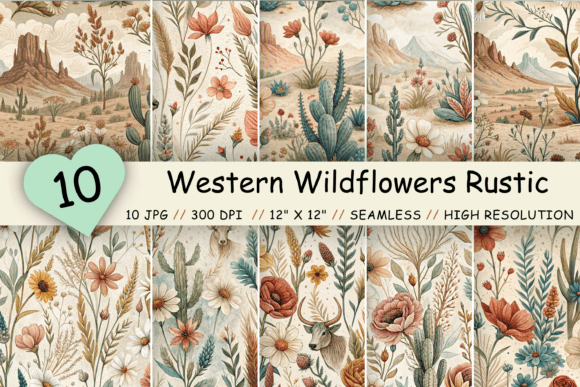
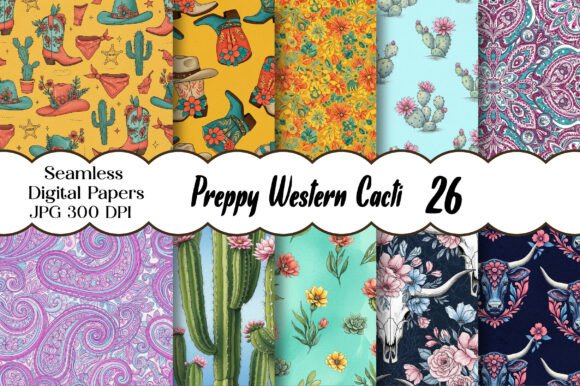
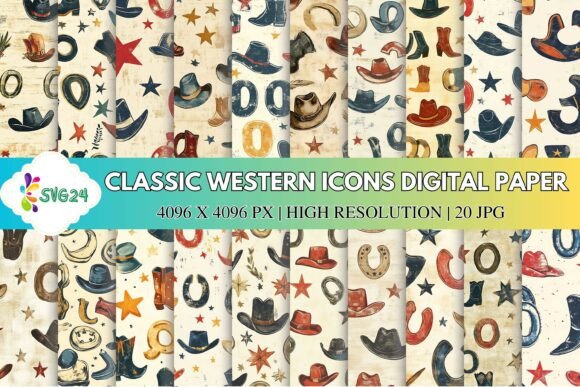
For creators looking to infuse their projects with a touch of rugged charm, the Classic Western Icons Digital Paper offers a versatile and visually appealing solution. This collection of digital papers features iconic cowboy elements like hats, boots, horseshoes, stars, and rustic symbols arranged in playful and artistic patterns. Whether you're designing invitations, scrapbook layouts, or social media graphics, these papers bring a nostalgic western feel with a modern twist.
Why Choose Classic Western Icons Digital Paper?
The Classic Western Icons Digital Paper is more than just a design element—it's a storytelling tool. The vintage-inspired textures and warm color palette evoke a sense of nostalgia, while the detailed illustrations add authenticity. Each design has a slightly distressed background, giving it a worn, retro look that enhances its character. This blend of classic and contemporary makes the collection ideal for both bold and subtle design themes.
One of the key advantages of this pack is its versatility. The mix of western icons and soft neutral backdrops allows for flexibility across different styles. You can use these papers as eye-catching backgrounds for digital platforms or print them for physical projects. The square format ensures compatibility with most digital tools, while the high-resolution files guarantee crisp results in any application.
Misconceptions and Common Mistakes
A common mistake when working with digital paper packs is overlooking the importance of file format and resolution. While the Classic Western Icons Digital Paper comes in high-quality JPG files at 4096 x 4096 pixels, some users may not realize the significance of this size. Lower-resolution files can lead to pixelation, especially when printed, which can ruin the visual appeal of your project.
Another misconception is assuming that all digital papers are interchangeable. While the Classic Western Icons Digital Paper is designed for a range of uses, it’s important to consider how the textures and colors will interact with your overall design. For example, using a heavily textured paper as a background for small text can make the text hard to read. Always test the paper in context before finalizing your design.
How to Avoid These Issues
To avoid resolution-related problems, always check the file specifications before downloading. If you plan to print, confirm that the paper’s dimensions and resolution meet your printer’s requirements. For digital use, ensure the file size is optimized for your platform without sacrificing quality.
When selecting a paper for a specific project, consider the contrast between the background and any text or images you’ll place on top. A high-contrast combination will improve readability and visual impact. For instance, if you’re using a dark, textured paper, opt for light-colored text or graphics to maintain clarity.
What to Check Before Using Classic Western Icons Digital Paper
Before incorporating the Classic Western Icons Digital Paper into your work, take a moment to review the following details:
- File Format: Ensure the files are in a compatible format such as JPG or PNG.
- Resolution: Confirm the resolution meets your project’s needs, especially if printing is involved.
- Color Palette: Check that the colors align with your design theme and don’t clash with other elements.
- Usage Rights: Verify the licensing terms to ensure the paper can be used for your intended purpose, whether personal or commercial.
Best Practices for Effective Use
One of the best ways to maximize the potential of the Classic Western Icons Digital Paper is to use it strategically. Rather than overwhelming your design with too many elements, focus on one or two key pieces that complement your overall vision. For example, if you're creating a wedding invitation with a western theme, use the paper as a background and highlight a single icon, such as a hat or a horseshoe, to maintain balance.
Another effective approach is to layer the paper with other design elements. Adding a subtle overlay or adjusting the opacity can help integrate the paper seamlessly into your layout. This technique is particularly useful for professional designs where a clean, polished look is essential.
Realistic Applications and Examples
The Classic Western Icons Digital Paper works well in a variety of scenarios. For instance, a small business owner launching a country-themed brand could use the paper as a background for their website or social media posts. A teacher creating a lesson plan about American history might incorporate the paper into a presentation to add visual interest.
For hobbyists, the paper is perfect for scrapbooking or DIY projects. A parent planning a western-themed birthday party could use the paper for invitations, banners, and table decorations. The key is to match the paper’s aesthetic with the overall theme of the event or project.
Final Thoughts
The Classic Western Icons Digital Paper is a valuable resource for anyone looking to add a touch of western charm to their creative work. By understanding its features, avoiding common mistakes, and using it effectively, you can elevate your designs and create a lasting impression. Whether you're a beginner or an experienced designer, this collection offers a unique blend of style and functionality that can enhance a wide range of projects.